Searching the URL Lists
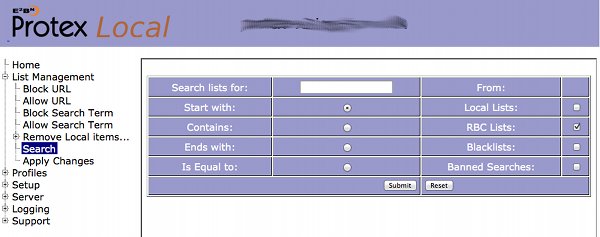
This screen is used to search the various URL and search term lists. There are four types of lists, each of which can be searched together or independently from this screen. Use the checkbox to select the list(s) to search and enter the search term in the main text box. From these lists URLs can be searched for that Start with the search term, Contain the search term, Ends with the search term or are an exact match to (Is Equal to) the search term by selecting the appropriate option.
Clicking on Submit starts the search and the results are presented as paths to the matching elements.
NOTE: The actual file names listed here are not the same as the names we use for the lists:
OKsitesandOKurlsare Trustedgreysitesandgreyurlsare ContentCheckdomainsandurlsare Banned
